> ## Documentation Index
> Fetch the complete documentation index at: https://openops-ecb4f397-mintlify-helm-chart-documentation-30057.mintlify.site/llms.txt
> Use this file to discover all available pages before exploring further.
# Scheduling
> How to schedule workflows to run automatically
Every workflow starts with a trigger. OpenOps provides multiple triggers, enabling you to start workflows upon catching a webhook or depending on issue-related events in Jira Cloud or Linear.
For many of your scenarios, you will probably use one of the triggers in the **Schedule** group, setting your workflows to run at a predetermined interval.
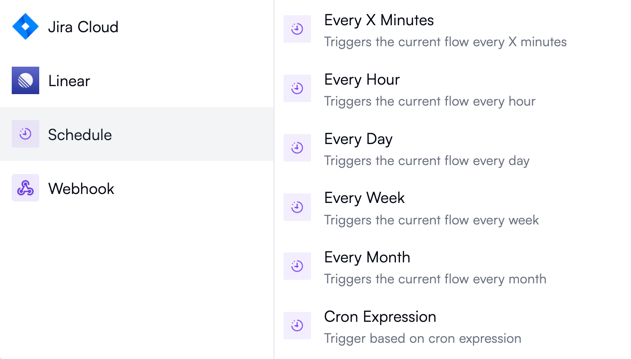 The **Schedule** group consists of six triggers.
## Every X minutes
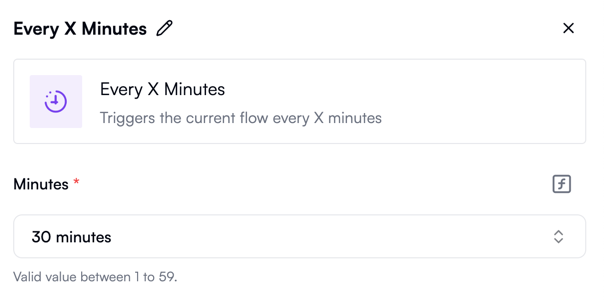
Use this if you want your workflow to run more often than once per hour:
The **Schedule** group consists of six triggers.
## Every X minutes
Use this if you want your workflow to run more often than once per hour:
 ## Every hour
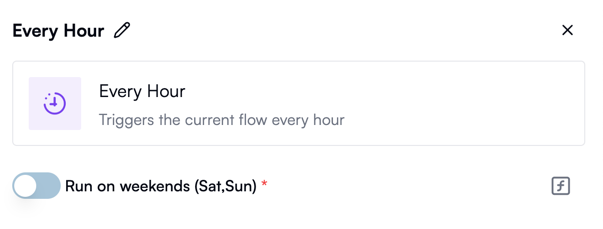
Use this to run your workflow exactly once an hour. By default, it only runs on weekdays, but you can optionally set it to run on Saturdays and Sundays as well:
## Every hour
Use this to run your workflow exactly once an hour. By default, it only runs on weekdays, but you can optionally set it to run on Saturdays and Sundays as well:
 ## Every day
Use this to run your workflow every hour, on the hour, in a specific time zone, every working day. Optionally, you can choose to also run on weekends:
## Every day
Use this to run your workflow every hour, on the hour, in a specific time zone, every working day. Optionally, you can choose to also run on weekends:
 ## Every week
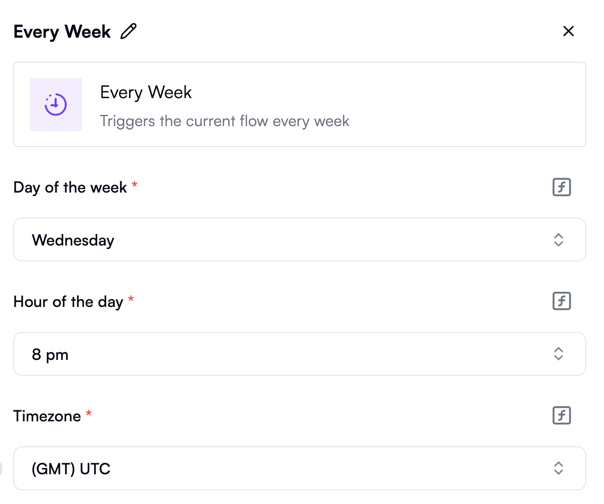
Use this to run your workflow on a specific day and hour of the week:
## Every week
Use this to run your workflow on a specific day and hour of the week:
 ## Every month
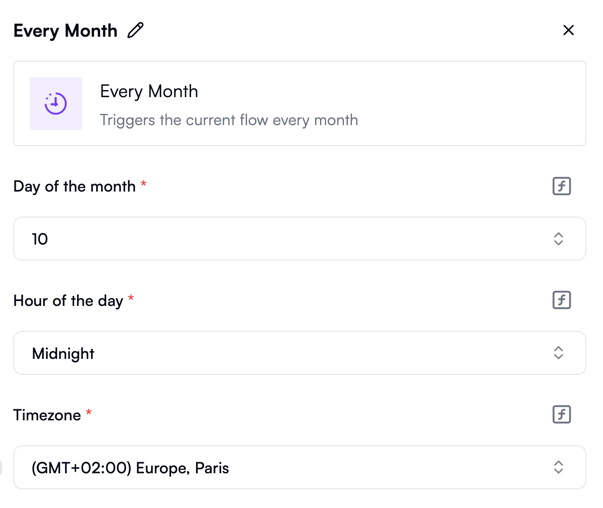
Use this to run your workflow once a month on a specific day and at a specific time:
## Every month
Use this to run your workflow once a month on a specific day and at a specific time:
 ## Cron expression
Use this trigger with the [cron syntax](https://www.baeldung.com/cron-expressions) for custom scheduling that can't be expressed with other triggers:
## Cron expression
Use this trigger with the [cron syntax](https://www.baeldung.com/cron-expressions) for custom scheduling that can't be expressed with other triggers:
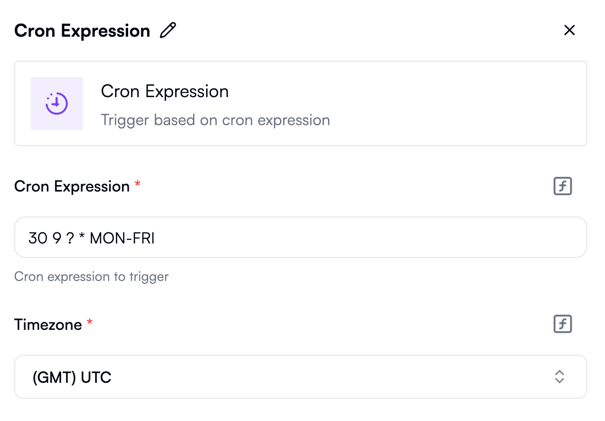 For example, if you want to run your workflow every 3 hours, use the following cron expression:
```cronexp
0 */3 * * *
```
What if you're based in a country that rests on Fridays but works on Sundays, and you want your workflow to run at 3 AM and 7 PM every working day? Try this cron expression:
```cronexp
0 3,19 * * 0-3,6
```
Note that since the properties of this trigger accept exactly one cron expression, you can't create schedules that are defined with two or more expressions, such as scheduling every 1 hour and 30 minutes.
For example, if you want to run your workflow every 3 hours, use the following cron expression:
```cronexp
0 */3 * * *
```
What if you're based in a country that rests on Fridays but works on Sundays, and you want your workflow to run at 3 AM and 7 PM every working day? Try this cron expression:
```cronexp
0 3,19 * * 0-3,6
```
Note that since the properties of this trigger accept exactly one cron expression, you can't create schedules that are defined with two or more expressions, such as scheduling every 1 hour and 30 minutes.